VU Studio is still in beta. Buying supports development, thank you, but please test the trial before purchase.
VU Studio for iOS + Android → VU Studio Desktop

Start on mobile. Finish on desktop.

Bring your phone projects into the full desktop studio. Open .vustudio .vu202, .espi, then arrange, record, mix, and render the finished track on macOS or Windows.

$49 during beta and 30 days after release $99 after day 30
iOS Android macOS Windows VU202
Download Installers and desktop guides Pads Samples, CHOP, instruments, resample Sequence Turn patterns into scenes and songs Audio Timeline tracks, recording, bounce Mixer Groups, pads, audio tracks, sends iOS + Android Start on your phone, finish on desktop Project formats .vustudio / .vu202 / .espi Road Map Next product milestones
Pads first

Work the sample from the pad.

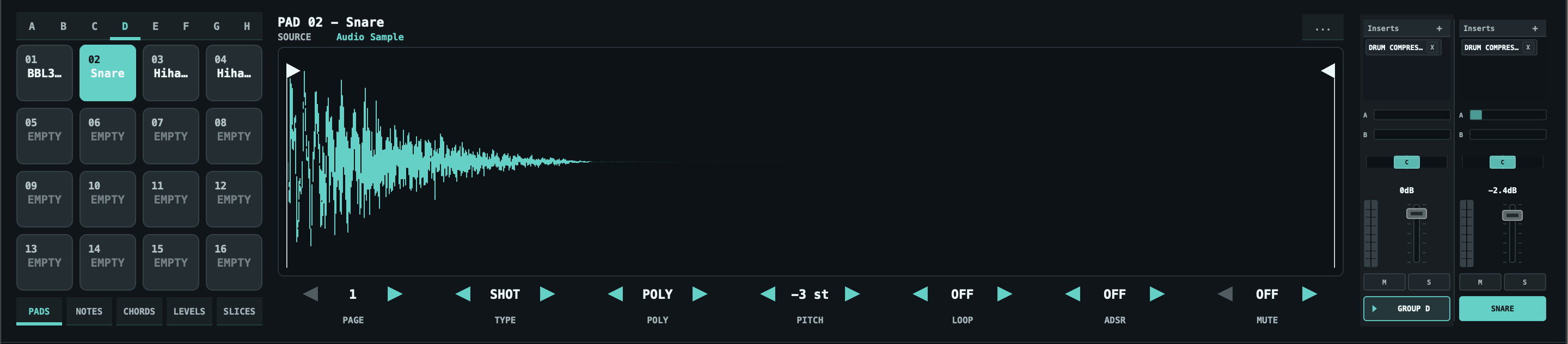
VU Studio pad details and sample waveform
PADS CHOP RESAMPLE

VU Studio gives each pad a durable source, mix state, inserts, waveform tools, CHOP, reverse, voice settings, pitch, ADSR, and resample.

CHOP Manual slices, even SPLIT, transient DETECT, waveform marker editing, and slice pages up to 64 cues.
RESAMPLE Print a pad through its inserts and LIVE effects, save it as a project asset, and keep moving.
Sources Use audio samples, VST instruments, or MIDI instruments with optional audio input return.
Pattern to song

Take a beat idea into a finished arrangement in one workspace.

Create group patterns, combine them into sequences, and place patterns, sequences, recordings, loops, vocals, and stems on the SONG timeline.
Step program

01
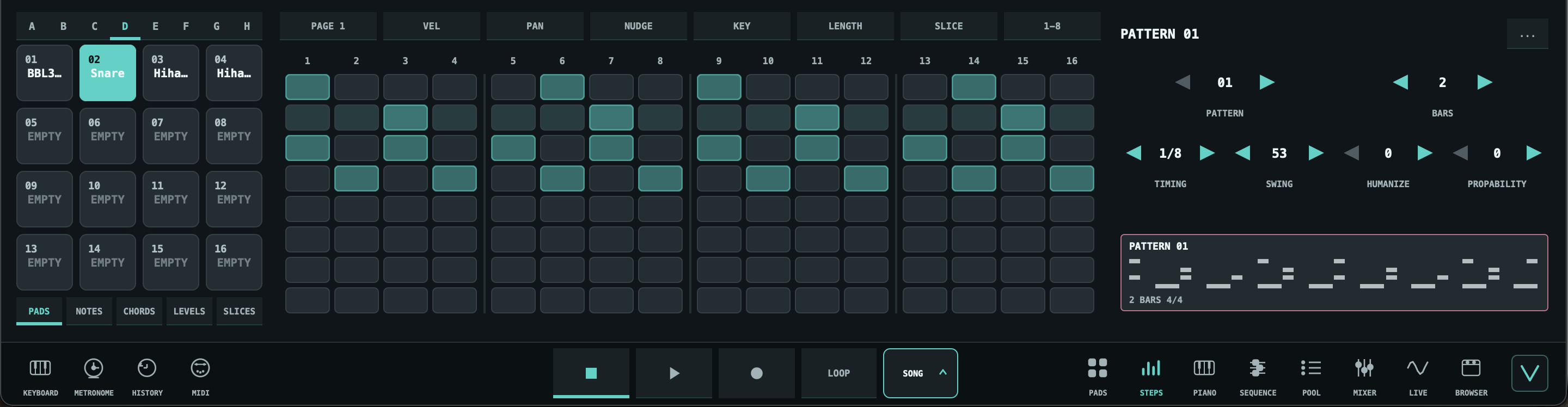
VU Studio steps workspace
STEPS

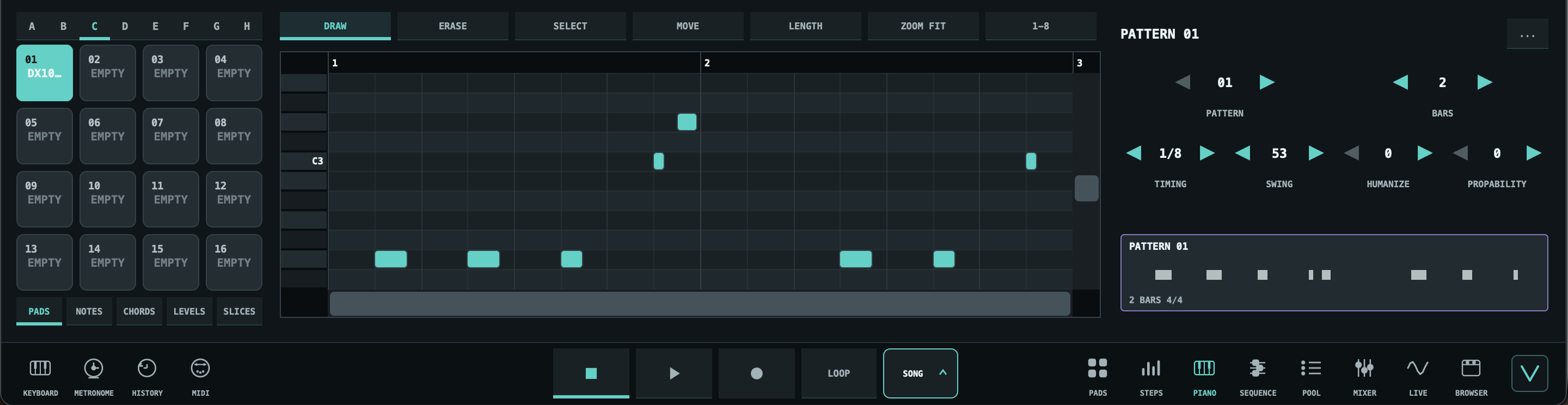
Piano detail

02
VU Studio piano workspace
PIANO

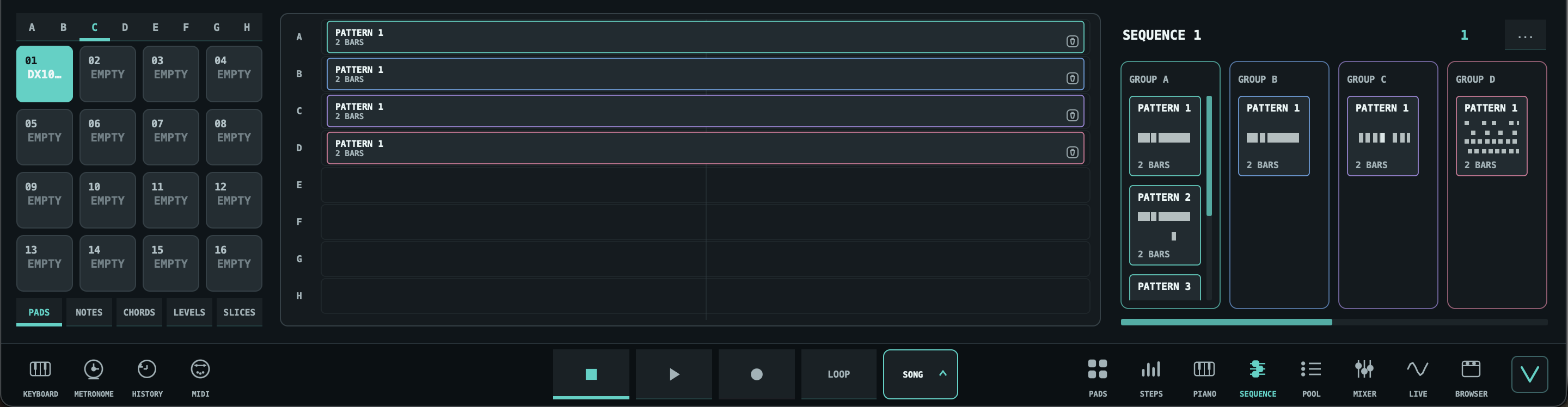
Sequence scenes

03
VU Studio sequence workspace
SEQUENCE

Drag and drop prepared patterns onto the SEQUENCE timeline to build a full sequence from parts you already made.
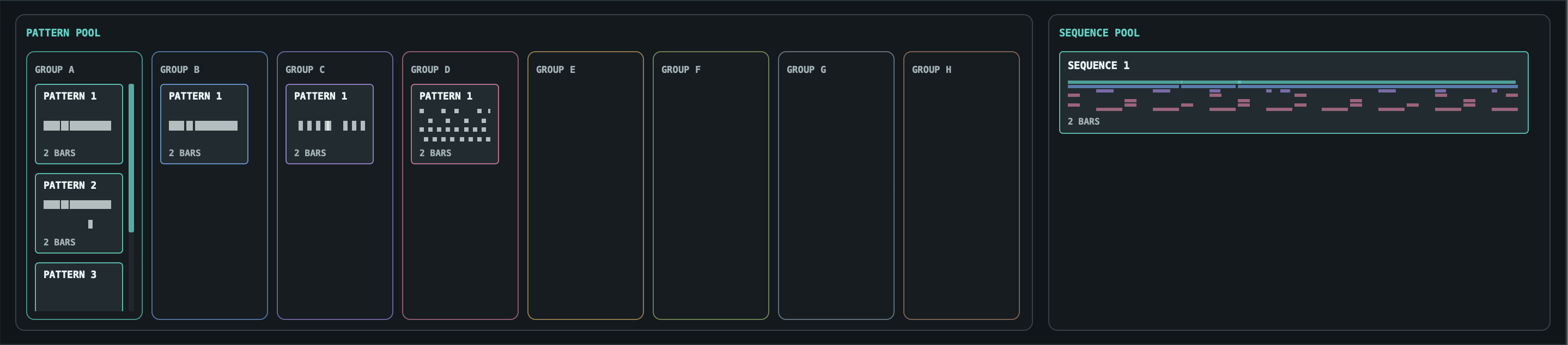
Pool and song

04
VU Studio pool workspace
POOL

Drag and drop individual patterns from the POOL onto the SONG timeline, or drop complete sequences when the whole section is ready. Edit a sequence later and the sequence blocks already placed on the timeline update with it.
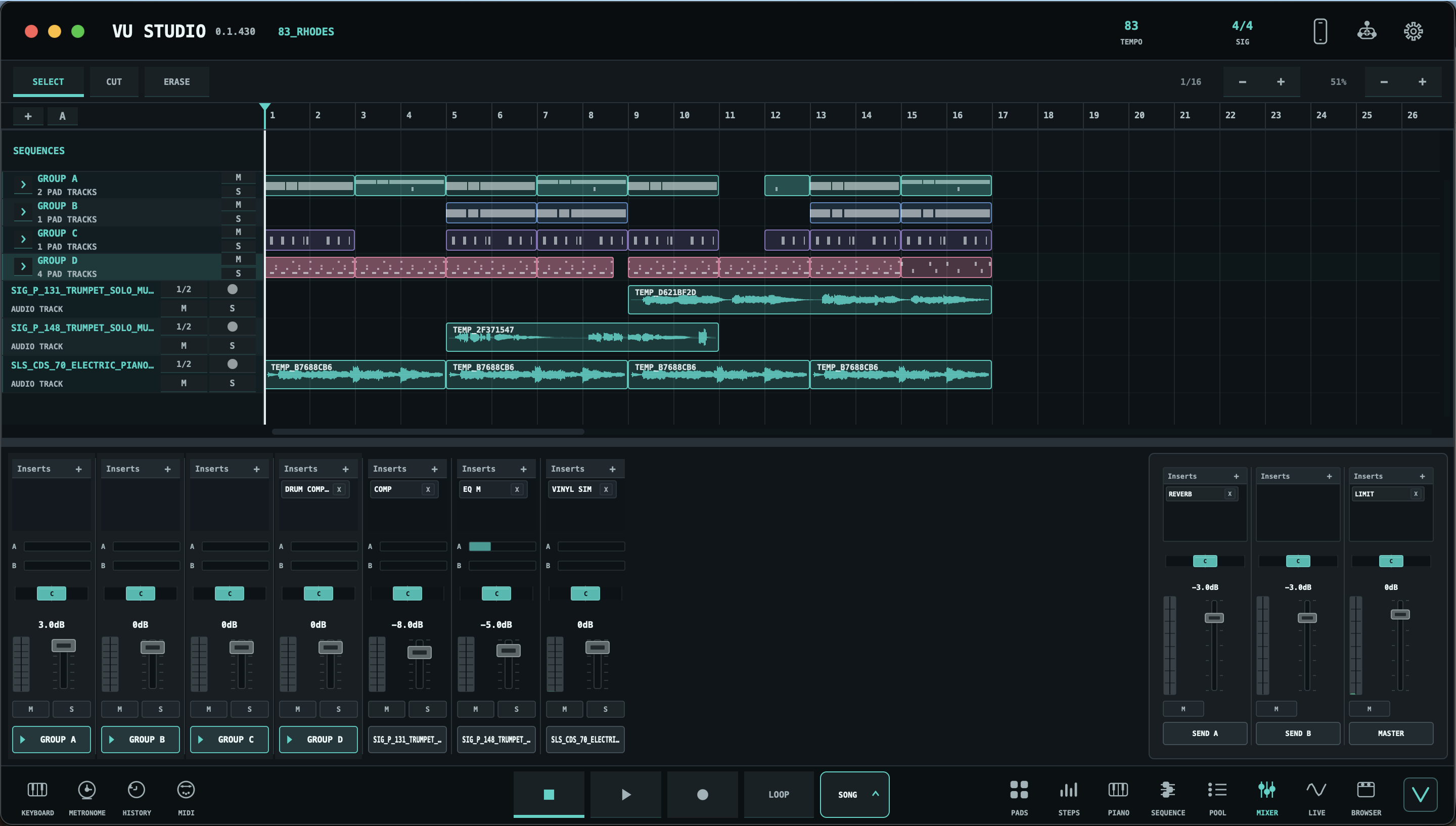
Arrange the timeline

05
VU Studio SONG timeline and mixer
SONG AUDIO CLIPS BOUNCE
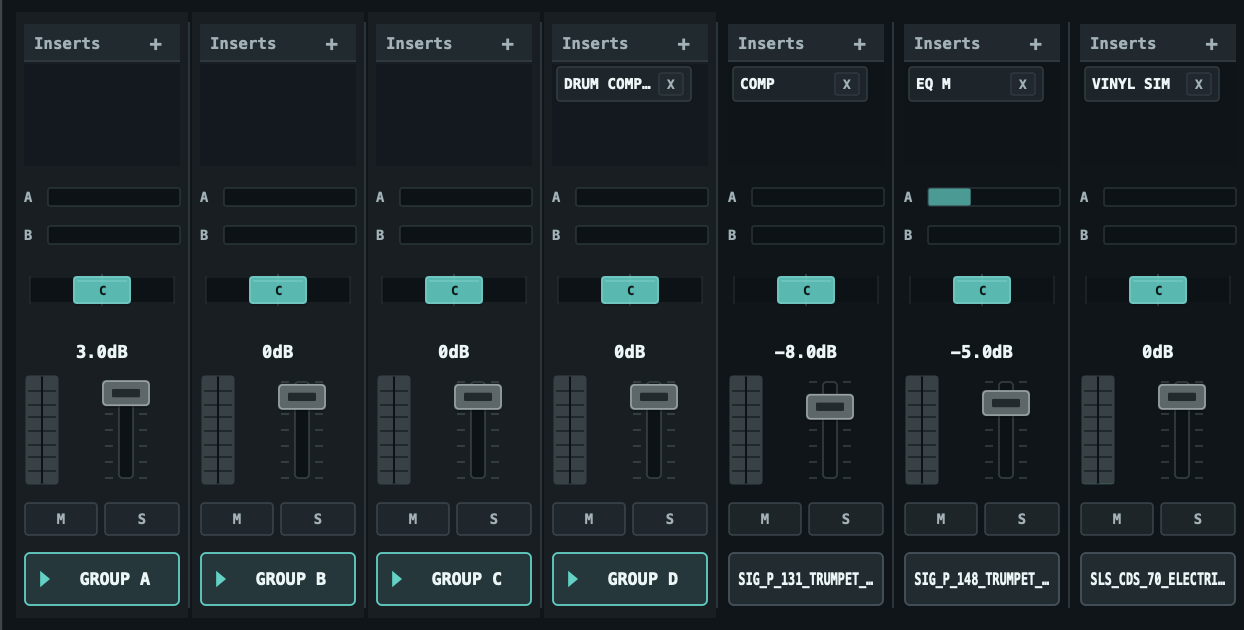
VU Studio mixer with groups, audio tracks, inserts, sends, and master
MIXER STEMS SENDS
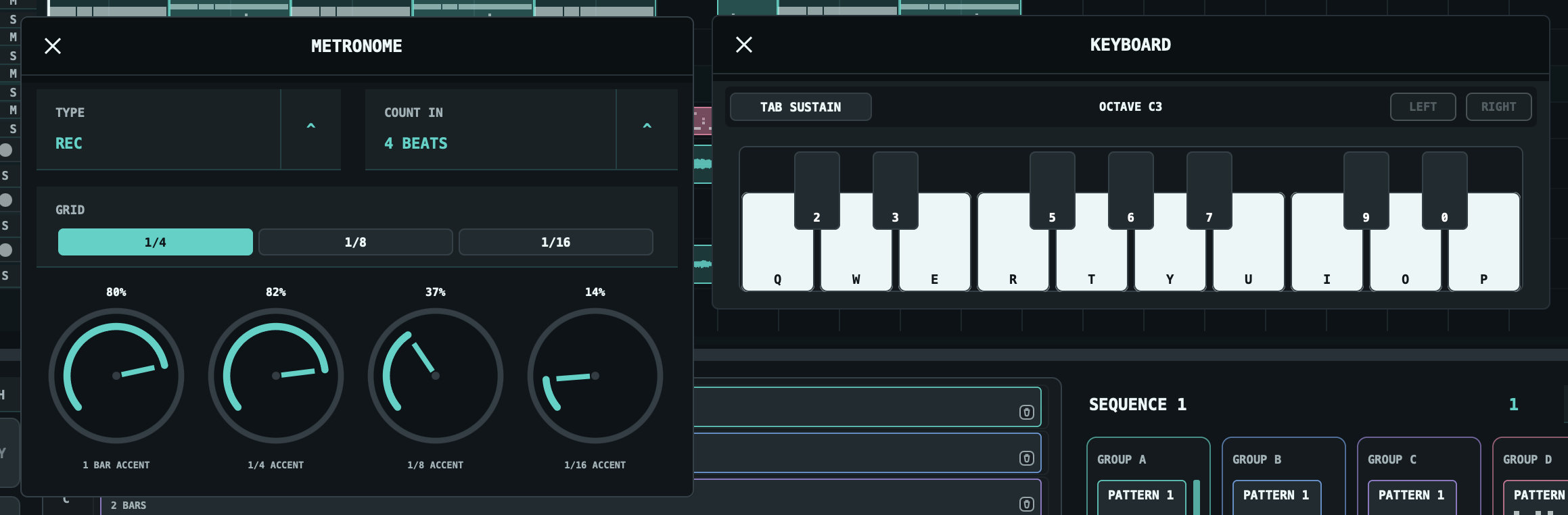
VU Studio metronome and keyboard utilities
METRONOME KEYBOARD
Audio that lands

Record, cut, stretch, reverse, bounce, render.

Drop audio on the SONG timeline, record device input or SYSTEM AUDIO, trim clips, add fades, use offline timestretch, and render master or stems from one project.

System Audio Record browser, streaming app, desktop app, or hardware return into a normal timeline clip.
Clip Editing Move, trim, gain, fade, reverse, and Shift-resize for offline timestretch.
Bounce Print selected timeline material to a new audio track or replace the clip in place.
Render Export MASTER or STEMS, LOOP or ALL, WAV or MP3 on desktop.
iOS + Android → Desktop

Your phone starts the project. VU Studio finishes it.

Create in VU Studio for iOS or Android, then move the project to macOS or Windows over Wi-Fi. Keep the idea, gain the desktop timeline, recording, mixer, effects, stems, and final render.
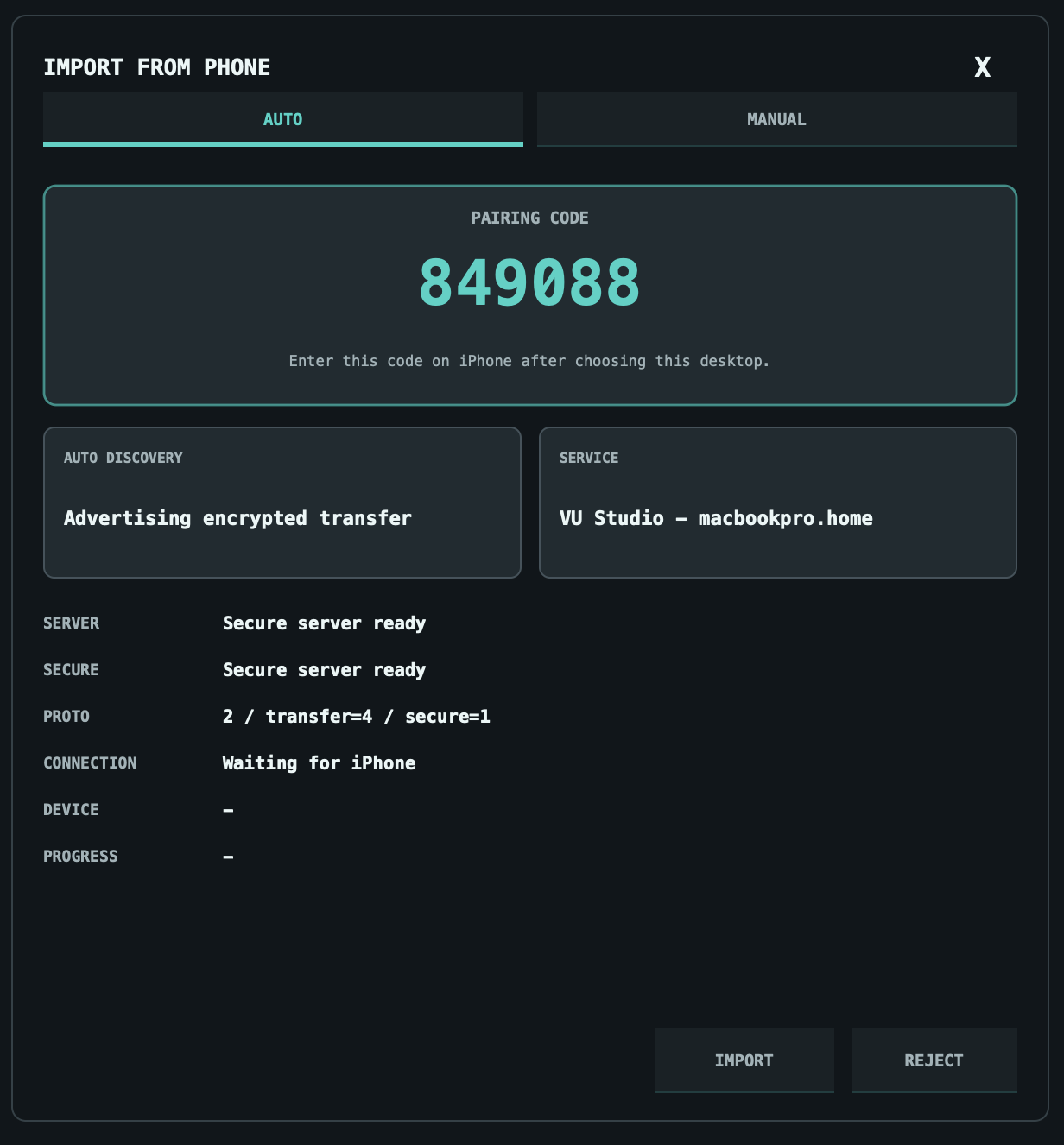
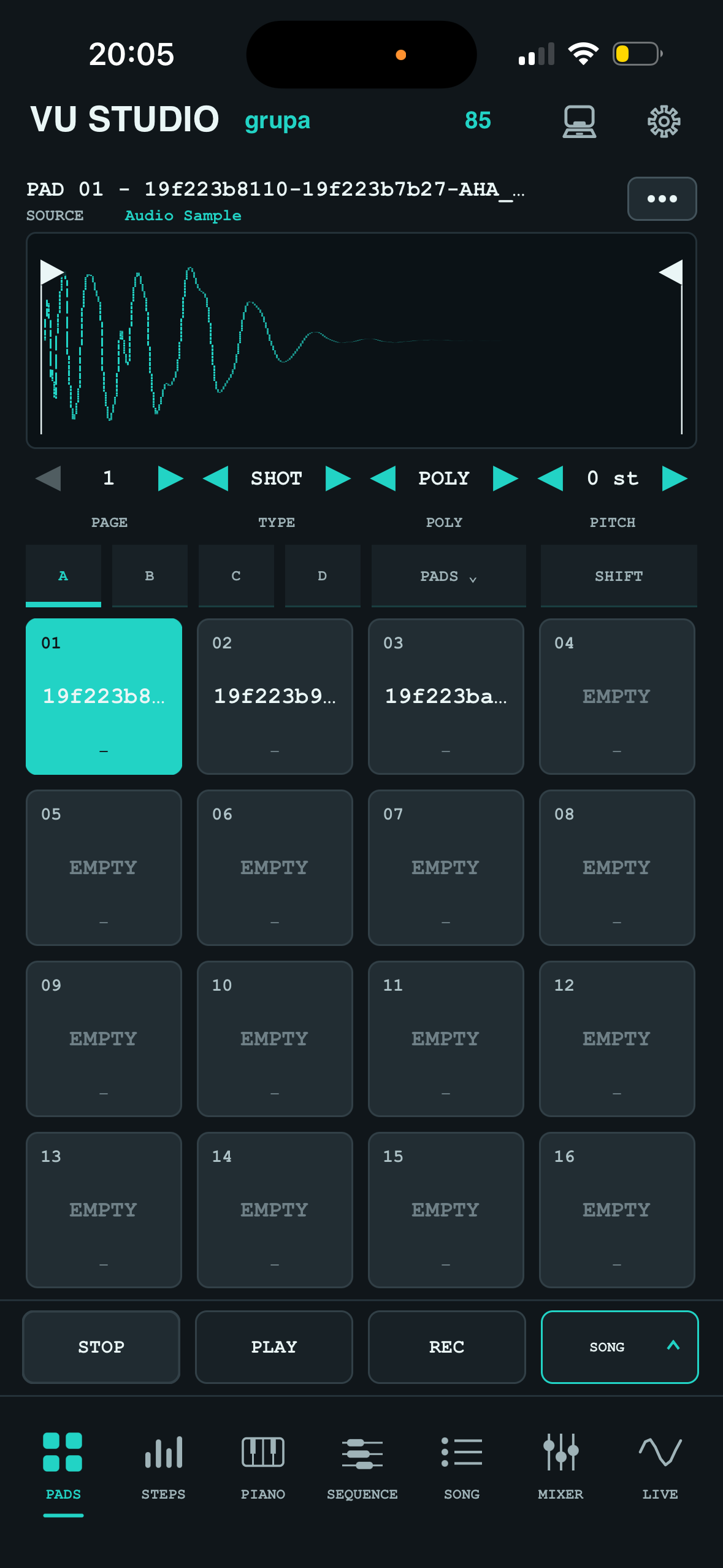
Both mobile platforms VU Studio is available on iOS and Android, so the same phone-to-desktop path starts on either mobile platform.
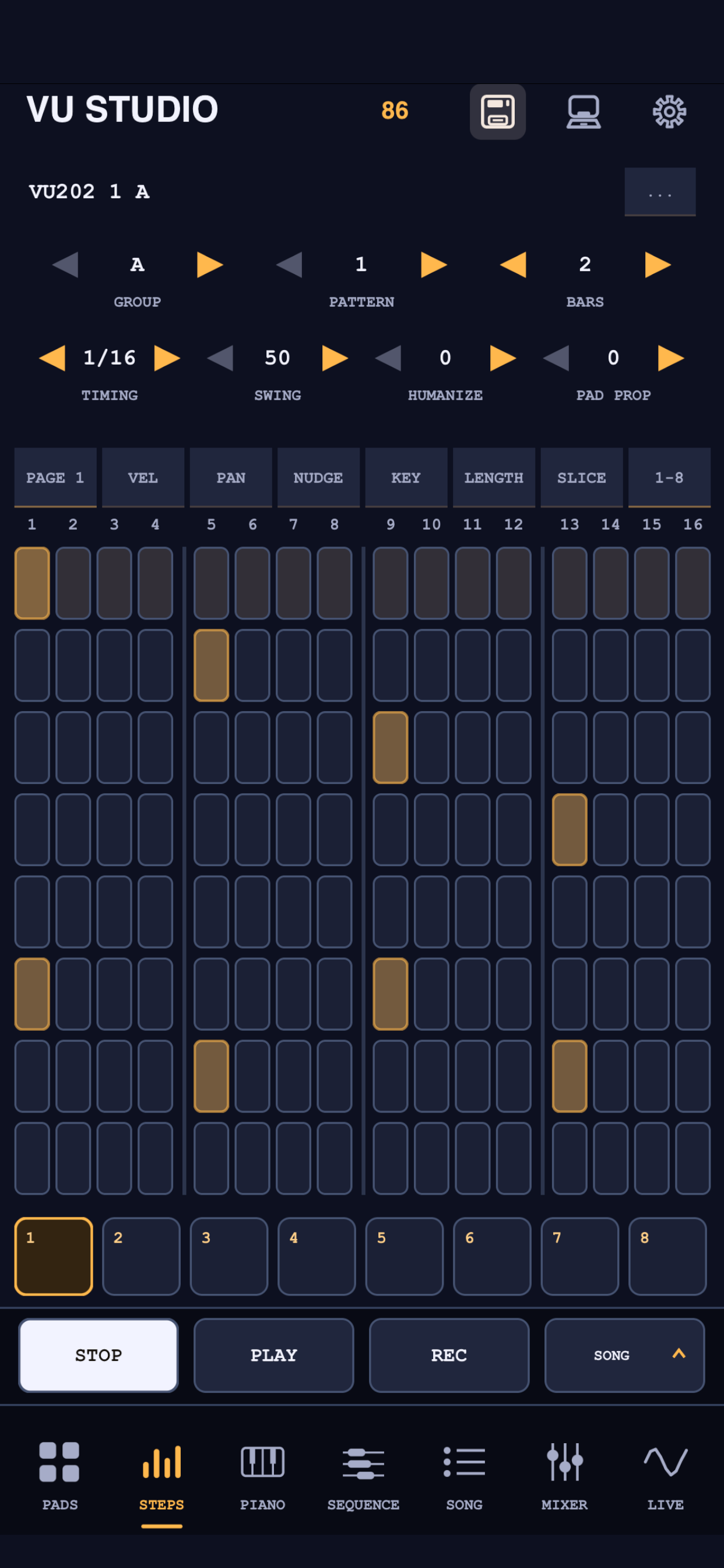
One workflow Start with pads and patterns on mobile. Finish the arrangement, audio, mix, and master on desktop.
VU Studio desktop transfer screen
VU Studio Mobile pads screen
Phone → desktop

Your mobile idea becomes a finished desktop production.

Project compatibility

Open .vustudio, .vu202, .espi projects.

Bring mobile sampler projects into VU Studio Desktop and continue with pads, sequences, SONG timeline audio, mixer channels, effects, stems, and final render.
.vustudio Open VU Studio projects and keep building with desktop arrangement, pads and sequences.
.vu202 Move VU202 projects out of the phone workflow and into the complete VU Studio desktop workspace.
.espi Open ESPI projects and keep building with desktop arrangement, pads and sequences. (Resample all pads first to keep that lovely SP sound!)
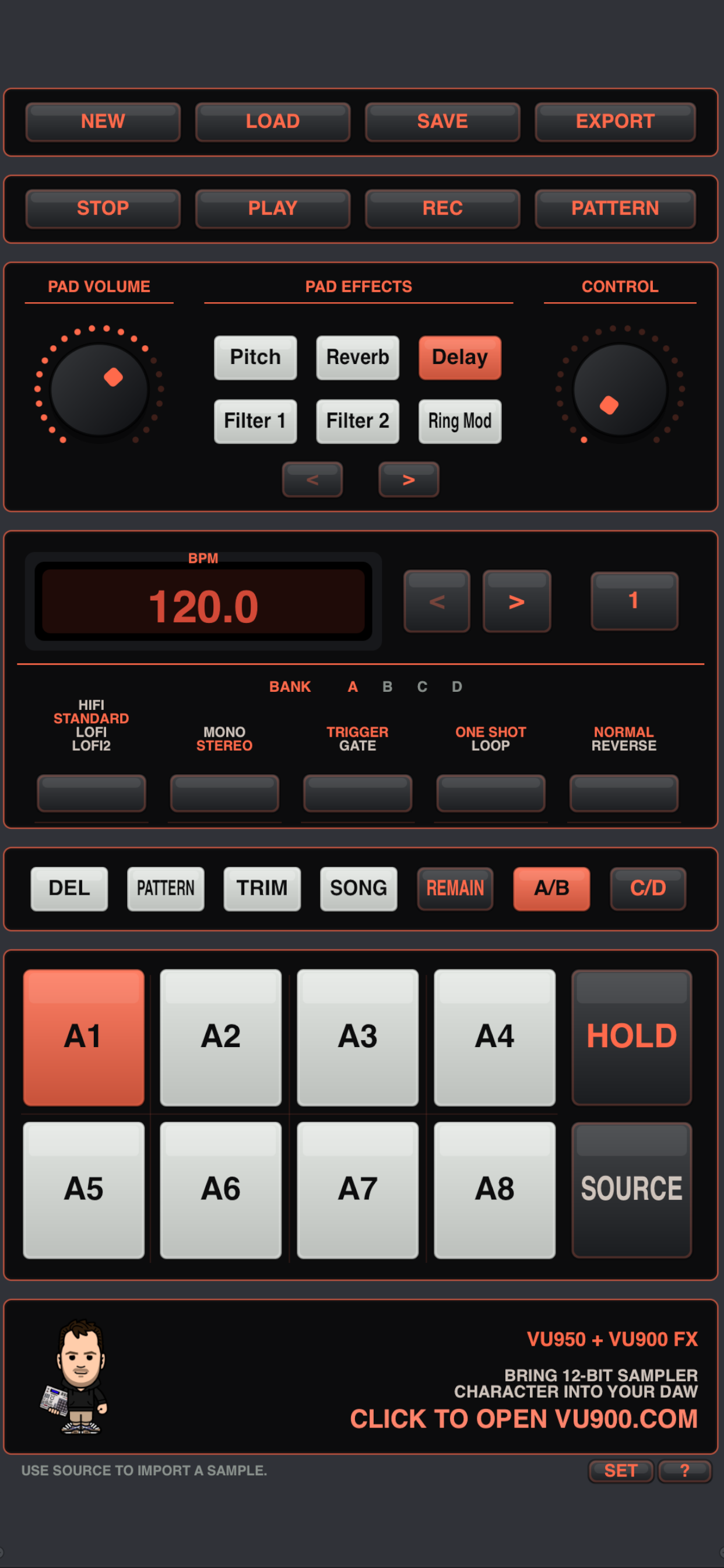
VU202 project interface supported by VU Studio Desktop
.VU202 .ESPI IMPORT
Road Map

The next VU Studio chapters are already on the board.

A public look at the direction ahead: stronger native sound design, deeper app and desktop parity, live performance workflows, and cleaner controller-led production.

Q3 2026

01
Sound design Internal Effects Makeover

A rebuilt internal effects set for the app and desktop version, with new processors, cleaner controls, and a more modern sound. The current internal effects will become Legacy effects, still available so older VU202 projects keep opening and playing as expected.

Remote control App as Desktop Controller

Wi-Fi control that lets the mobile app drive VU Studio Desktop: switch scenes, build sequences and patterns, launch ideas, and shape the desktop session from the phone or tablet while the main project stays on the computer.

Q4 2026

02
Instrument First VU Studio Synth Plugin

The first native VU Studio synth plugin for the app and desktop, designed to work as a pad source, sequenced instrument, and render-ready sound module inside the same project workflow.

MIDI MIDI Instruments Makeover

A deeper MIDI instrument workflow with MIDI start, MIDI clock, tighter external timing, cleaner instrument setup, and stronger sync between VU Studio patterns, sequences, hardware, and desktop instruments.

iOS effects AUv3 Effects Support

Use AUv3 effects inside the app while shaping mobile projects. When a project is exported to desktop, AUv3-processed material will be bounced automatically so the desktop session keeps the sound even without the mobile effect plugin.

Q1 2027

03
Performance Live Performance Mode

A stage-focused workflow for triggering scenes, switching patterns, shaping mixer moves, and performing arrangements without leaving the VU Studio project.

iOS instruments AUv3 Instruments Support

Play AUv3 instruments inside the app as musical sources, then export to desktop with automatic bouncing so instrument parts arrive as ready-to-arrange audio in the VU Studio project.

Q2 2027

04
Control Hardware Controller Expansion

Deeper MIDI mapping, portable controller profiles, and faster hands-on access to pads, mixer channels, transport, effects, and timeline commands across app and desktop sessions.

Advanced workflow

Let agents handle repeat work through local MCP.

VU Studio Desktop exposes project state and selected actions to local AI workflows, with normal undo/history for supported mutations.

Read the session Agents can inspect pads, patterns, inserts, Browser state, timeline clips, recording state, and render jobs.
Edit the project Pad parameters, mixer changes, inserts, step edits, CHOP, timestretch, metronome, MIDI mappings, and VST sources all have MCP paths.
Render output MCP can bounce clips, render masters, and render stems one call at a time for stable client behavior.
Keep history VU Studio writes supported MCP mutations into the same undo/history stream as user actions.
VU Studio Desktop

Make the track inside the sampler.

Start on iOS or Android. Open .vu202, .espi. Then arrange the song, record the audio, mix the channels, and render the master on desktop.

$49 for the first 30 days after release $99 after day 30
Support

Need help with VU Studio?

Send a message by email or contact VU Beatz on Instagram. Use either path for App Store support, setup questions, purchase help, or product feedback.